
Virtual TimeClock Pro
11 (release 2)
Size: 9.17 MB
Downloads: 5409
Platform: Windows All

Let's say you are an employer and you have a lot of employees. You want to keep track of everyone, meaning the number of hours he works, breaks, day off's and so on. Using pen and paper is not enough in this case, especially if we are talking about a large company with a lot of employees. A better idea would be using a dedicated software that can help you keep track of every single employee. Doing this will help improve efficiency. A software that can help you in this matter is Virtual TimeClock Pro. As the name states, the program acts as a virtual timeclock, including all related tasks regarding this. This includes starting and ending time, lunch breaks, payrolls and so on.
The software, just like other Windows programs, is very simple to install and requires just a few clicks from the user for completing this. Furthermore, it supports any Windows version, including XP and Windows 7. It takes up about 10 MB of hard disk space, thus being ideal for computers with limited hard disk space.
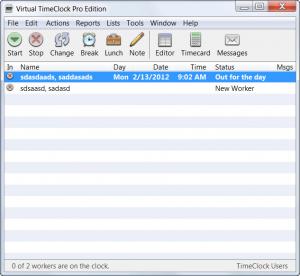
The interface of Virtual TimeClock Pro includes some graphical buttons and the well known drop-down menu, each of them being very intuitive and easy to access. At first run, the program asks the user to enter some details regarding his employees. These details include personal information and specific information regarding their job. Employees can also be added from other programs, like Microsoft Outlook, by importing a CSV file.
Reports can be generated for various tasks and employees, allowing the user to quickly see the situation for every employee. Besides that, an employer can track every single activity of a project by adding the starting and ending time for every task, thus allowing team members to work on the project more efficiently.
Pros
It features a simple interface that can be used by any type of user. Besides that, it allows adding an unlimited number of users, each of them having personal details and specific working details. Furthermore, various reports can be generated regarding all or only some of the employees, allowing the user to quickly spot working time for all users.

Cons
The large number of options and settings may be confusing for some users. Virtual TimeClock Pro is the perfect software for keeping track of all the employees of a company.

Virtual TimeClock Pro
11 (release 2)
Download
Virtual TimeClock Pro Awards

Virtual TimeClock Pro Editor’s Review Rating
Virtual TimeClock Pro has been reviewed by Jerome Johnston on 23 Feb 2012. Based on the user interface, features and complexity, Findmysoft has rated Virtual TimeClock Pro 4 out of 5 stars, naming it Excellent







